


Super Music - MP3 Downloader
4.43.69K Reviews
App Specs
- Version
- 1.0.19
- Updated On
- License
- Free
- Downloads
- 500,000+
- Developer
- Superb Tools For Android
- Categories
- Music & Audio
- Platform
- Android
Screenshots
 Analysis by AppCompare
I tend to judge a music app by what happens after I find a track: can I make a useful listening routine without wrestling with the interface? Super Music - MP3 Downloader is aimed at people who want to search for music, save tracks and return to them later. Its appeal is practical rather than elaborate, but I would approach it as a focused tool, not assume it replaces every kind of music service.
Getting from a search to a listening routine
The basic workflow is simple: look for a track, decide whether it is the one you want, save it, and come back to it for listening. That makes the app easiest to understand when I treat each search as a small task instead of browsing endlessly. If I already have a song or artist in mind, the search-first approach is more useful than opening the app without a plan and hoping it will build a listening session for me.
Search results still need a quick check before I commit to a download. When several tracks have similar names, I take a moment to compare the displayed details and make sure I have the right version. That habit matters especially for live recordings, alternate edits, or songs shared by artists with similar names. A few seconds of checking can save storage and avoid filling a saved collection with near-duplicates.
For a realistic everyday use, imagine preparing for a commute in a place where mobile reception is unreliable. I would search for a short set of songs while connected to Wi-Fi, save the versions I actually want, and then check that they appear in the app before leaving. The useful part is not simply having a download button; it is making the download step part of the preparation routine, rather than discovering on the train that I never saved anything.
Choose a sensible starting point
The app is a Music & Audio offering from Superb Tools For Android. It is free to install, with optional in-app purchases listed from $2.99 to $12.99 per item. That makes it reasonable to try the core experience before deciding whether any paid option is worthwhile. I would not spend money just because I expect every search to produce a perfect match; first I would use the free version enough to see whether its results and saving workflow suit the music I actually listen to.
It has a 4.4 average from around 13,000 ratings, and more than 500,000 installs. Those figures suggest that it has found an audience, but they cannot tell me whether it will handle a particular artist or recording the way I want. I still judge a music search app by a few searches that matter to me, not by popularity alone.
Settings and small habits that make downloads easier
One practical choice described for the app is selecting download quality. I would set that deliberately rather than leaving every file at the largest option by default. When I am saving a few favorite tracks for headphones, higher quality may be worth the extra space; when I am preparing a longer background playlist for a phone with limited free storage, a more modest setting is a sensible trade-off. The right choice depends on where and how I listen, not on assuming that maximum quality is always necessary.
Worth Reading Before You Choose

Flipboard Shows What News Apps Must Do Beyond the Feed

Switching to Android Auto Means Rethinking Your Driving Routine

Google Calendar Makes a Crowded Week Easier to Manage

Ludo King Makes the Most of the Minutes Between Plans

Baby Panda World Brings Quick Play to Modern Phones, but Its Game Library Feels Busy

ESPN’s Live Game View Makes Following Close Games Easier
Before a batch of downloads, I would also check how much space is available on the device and decide how long I expect to keep the files. That turns quality selection into a repeatable habit: choose a setting for the current purpose, save only what I will use, and revisit the choice if storage becomes tight. It is a more reliable approach than downloading everything at the highest setting and cleaning up later.
There is another useful distinction to keep in mind: saving music for offline listening is not the same as having a cloud library that follows me across devices. If I want music available on a particular phone during a trip, I would prepare it on that phone and confirm it is ready there. Anyone who expects automatic syncing or a unified library across several devices should compare this workflow with a service built around account-based streaming and synchronization.
Use search with a purpose
For faster results, I would search by the most distinctive part of a title or artist name first, then refine if the results are crowded. This is especially helpful when I am looking for an older song with multiple versions. Rather than downloading the first close match, I would identify the exact recording and save it once. That keeps a personal offline set easier to browse and avoids wasting both time and space.
I would also build small, occasion-based groups in my own routine, even if that simply means deciding in advance which saved tracks belong to a walk, a work session, or a quiet evening. The benefit comes from the planning, not from assuming the app has a particular playlist tool. A focused batch is easier to verify than a large collection assembled through casual searches, and it gives me a quick way to notice if I saved the wrong version.
For someone who listens on the move, the strongest workflow is to do the searching and downloading before leaving home, preferably while connected to Wi-Fi. Once offline, I would rely on tracks that I have already saved rather than expecting a new search to work without a connection. That small distinction prevents a common disappointment: offline playback can help with prepared music, but it does not make every online part of an app available without internet.
Where it fits among music apps
Compared with a conventional streaming service, this app’s main draw is the direct search-and-save routine. Streaming services are often more convenient for subscribers who want curated mixes, account-based libraries, and the same collection on multiple devices. A downloader-style app can make more sense when my priority is preparing selected music for later listening and keeping the process straightforward. I would choose based on that difference rather than expecting one app to do both jobs equally well.
It is also different from a locally managed music player. A player is most useful when I already have audio files organized and simply need controls for browsing and playback. Here, the appeal is being able to search for music within the app and save what I find. If my collection is already carefully organized, a dedicated player may be the cleaner choice; if I want to discover and prepare tracks in one place, this app has a more relevant role.
Search-based discovery can be a pleasant way to follow curiosity, but I would not treat recommendations as a substitute for a well-organized library. When I know exactly what I want, search is efficient. When I am in the mood to explore, recommendations may help surface something new, but personal taste varies and I would still use them as suggestions rather than assume every pick will fit. Keeping those two modes separate makes the app feel more predictable.
Limits worth considering before relying on it
A search-and-download workflow depends on finding a suitable result, so it is not ideal if I need a guaranteed, complete catalogue for a specific artist or a carefully curated release. I would test a few representative searches before building a large offline collection. If a key album or version is difficult to find, a licensed streaming service or a music store with a catalogue that suits my needs may be a better answer.
I would also be careful about what I save and how I use it. A download feature does not make every recording free of rights restrictions. I would choose music I am entitled to access and follow the relevant terms, especially if I plan to share files or use them outside personal listening. That is a sensible boundary for any app that helps people save music, not a reason to assume every result can be reused however I like.
The experience may be less satisfying for listeners who want a polished, continuously updated radio station or hands-off recommendations all day. This app’s practical strength is the user-led search and save process, which asks me to decide what I want and prepare it. If I prefer to press play and let a service manage discovery, the usual streaming alternatives are likely to feel more natural.
It is available for devices running Android 6.0 or later, and its content rating is Teen. The current version is 1.0.18, following a release on January 5, 2023. I would check that my device meets the system requirement before installing, then give the current build a short trial with a few searches and downloads rather than planning an entire library around it on day one.
A useful fit for deliberate listeners
I think this app is best suited to people who know what they want to hear, value an uncomplicated search-and-save routine, and are willing to prepare music before they go offline. It can be handy for a commute, a walk, or another situation where I want selected tracks ready without depending on a live connection. The quality choice adds a practical way to balance sound and storage, provided I make that decision with my device and listening habits in mind.
I would skip it if I mainly want synchronized listening across several devices, a large curated catalogue with a consistent licensing model, or automatic playlists that do the discovery work for me. Those are different priorities, and established streaming services or a dedicated local player may serve them better. The app is not automatically the right choice just because it is free to install; its value depends on whether I want this particular hands-on workflow.
First impressions: sleek and user-friendly
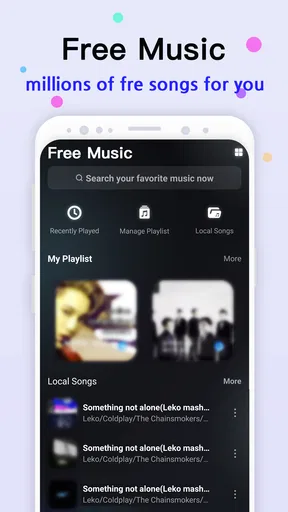
The first thing I noticed about Super Music - MP3 Downloader is its sleek and intuitive design. It doesn't bombard you with a million buttons or ads the second you open it, which is a refreshing change. It's like the app knows you’re here for the tunes, not a tech puzzle.
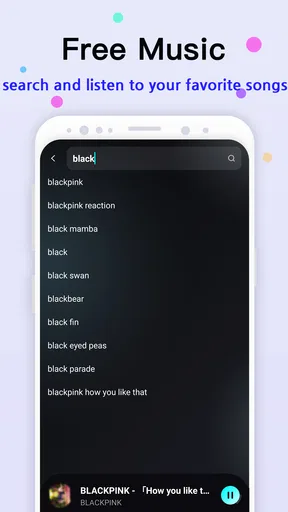
Navigation is a breeze. The search bar is front and center, so you can dive right in to find your favorite tracks. Whether you’re searching for the latest hits or those nostalgic oldies, this app promises to have it all. And spoiler alert: it delivers!
High-quality downloads anytime, anywhere
Now, let's talk about the real magic—downloading music. I was genuinely impressed with the quality of the tracks I downloaded. The app allows you to choose the quality, which is perfect if you're worried about data usage or storage space. Personally, I loved having this control because sometimes you just need that crystal-clear sound.
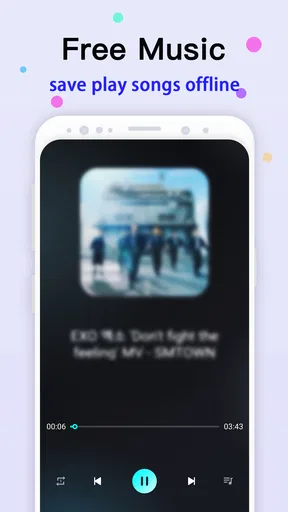
And for those moments when you're off the grid, the offline mode is a lifesaver. Download your playlists when you have Wi-Fi, and you’re set for any adventure, no internet required.
A world of music at your fingertips
One of the standout features of Super Music - MP3 Downloader is the sheer variety of music it offers. From pop to classical, rock to reggae, the app serves up a diverse buffet of genres. I found myself exploring new artists and tracks I might never have come across otherwise.
For the curious listener, the app’s recommendations are spot on. It’s like having a personal DJ who knows exactly what you’re in the mood for, based on your listening habits. I was pleasantly surprised by how often I found myself nodding along to a new favorite.
Why it stands out
In a sea of music apps, what makes this app a keeper? For me, it’s the combination of ease, accessibility, and quality. The app respects your time with its no-nonsense interface, and it respects your ears with high-quality downloads.
Moreover, it doesn’t weigh you down with unnecessary features. It’s straightforward: search, download, listen. The simplicity is what makes it so addictive.
The developers also seem committed to regular updates, ironing out any bugs and adding new features. It’s nice to see an app that’s attentive to user feedback and always striving to improve.
My verdict after putting it through its paces
So, should you hit that download button? If you're a music lover who values quality and ease of use, then absolutely. This app has become my go-to app for discovering and downloading music. It's like having a personal music library in my pocket, ready to play whatever I need, whenever I need it.
Whether you’re a casual listener or a music aficionado, this app is well worth exploring. So, why not give it a whirl? You might just find it’s the perfect harmony for your music needs.
Pros
- Intuitive user interface for easy navigation.
- Supports high-quality audio downloads.
- Wide variety of genres and artists available.
- Fast download speeds for quick access.
- Offline listening without data usage.
Cons
- Contains in-app advertisements.
- Limited free version features.
- Requires internet for initial download.
- Occasional app crashes reported.
- Some tracks unavailable in certain regions.
FAQs for Super Music - MP3 Downloader
What is Super Music - MP3 Downloader and how does it work?
Super Music - MP3 Downloader is an app designed to help users download their favorite music tracks directly to their devices. It provides a simple interface where users can search for songs by title, artist, or album and download them in MP3 format for offline listening. The app connects to various music sources to find and deliver the best results.
Is Super Music - MP3 Downloader free to use, or does it require a subscription?
The app is available as a free download, with basic features accessible at no cost. However, it may offer in-app purchases or a subscription model to unlock premium features such as faster download speeds, ad-free experience, or access to a broader music library. Check the app’s store listing for detailed pricing information.
Are there any legal concerns with using Super Music - MP3 Downloader?
Downloading music without proper licensing can raise legal issues. It's important to check if the app offers licensed music downloads or if it only serves as a search tool. Always ensure that you are complying with local copyright laws before downloading music using any app, including this one.
What are the main features of Super Music - MP3 Downloader?
The app boasts features such as a vast music library, high-quality audio downloads, and a user-friendly interface. Users can create playlists, organize their downloaded music, and enjoy offline playback. Other features may include a built-in music player and support for multiple audio formats.
How does Super Music - MP3 Downloader compare to other music downloader apps?
Super Music - MP3 Downloader stands out due to its extensive music library and ease of use. The app’s search capabilities and download speeds are often highlighted as superior. However, users should compare it with other apps in terms of features like audio quality, legal compliance, and additional functionalities before deciding which one best suits their needs.


